
Download Nightly Tester Tools – Firefox Extension, Compatibility Override, Screenshot Tool, Incident Reporting
Overview
Nightly Tester Tools is a specialized Firefox extension designed to support users who rely on browser add-ons that may become incompatible following major Firefox updates. Its primary purpose is to bridge the gap between new browser versions and legacy extensions, ensuring continuity in browsing functionality. This tool is especially valuable for developers, testers, and power users who depend on specific extensions for workflow efficiency, debugging, or customization. By allowing extensions to bypass compatibility checks, it helps maintain a stable and productive browsing environment even during transitional updates.
The extension addresses a common pain point in the Firefox ecosystem: the frequent incompatibility of add-ons after version upgrades. When Firefox releases a new version, many extensions are not immediately updated, leaving users without essential tools. Nightly Tester Tools mitigates this disruption by enabling users to manually override compatibility restrictions. This capability is particularly useful in development and testing scenarios where immediate access to specific tools is crucial.
Although the developer did not provide additional technical details, the extension has been in active use since its release on July 7, 2010, indicating long-term reliability and community trust. It serves as a critical utility within the Firefox extension ecosystem, offering both practical functionality and enhanced troubleshooting capabilities. Real-world use cases include maintaining development environments, documenting browser behavior, and reporting bugs efficiently.
Key Features & Functionality
- Compatibility Override: The core feature allows users to mark all extensions as compatible with the current Firefox version, even if they are officially flagged as incompatible. This enables immediate use of essential tools without waiting for official updates.
- Screenshot Capture: Built-in screenshot functionality lets users capture entire web pages or specific areas of the screen directly from the browser. The captured images can be saved locally or copied to the clipboard, aiding in documentation and reporting.
- Incident Reporting: Users can access a log of runtime incidents, including errors and warnings, which helps identify and report issues affecting browser stability or extension behavior.
- Extension List Export: A simple one-click option to copy the complete list of installed extensions to the clipboard. This is useful for sharing configurations, troubleshooting, or migrating settings across devices.
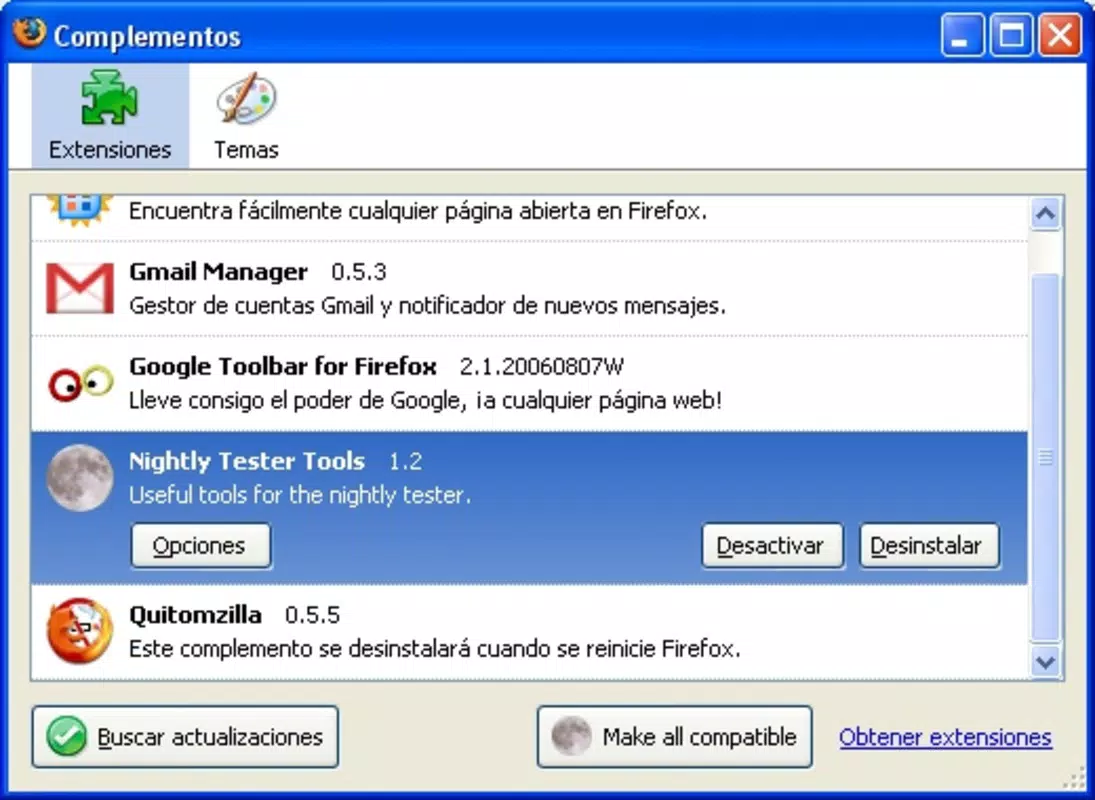
- Seamless Integration: The extension integrates directly into Firefox’s built-in Extensions Manager, maintaining a consistent UI and avoiding clutter. This ensures a smooth user experience without disrupting the native browser interface.
For example, a developer testing a web application might use the Compatibility Override to keep a debugging extension active after a Firefox update. Simultaneously, the screenshot tool can capture visual anomalies, while the incident log helps trace the root cause of a performance issue. These features work in tandem to streamline troubleshooting and maintain productivity.
Interface, UX & Performance
Nightly Tester Tools maintains a clean and minimal interface that aligns with Firefox’s native design language. The integration into the Extensions window ensures that users can access its tools without navigating through additional menus or tabs. The layout is intuitive, with clearly labeled options that require no prior training to use effectively.
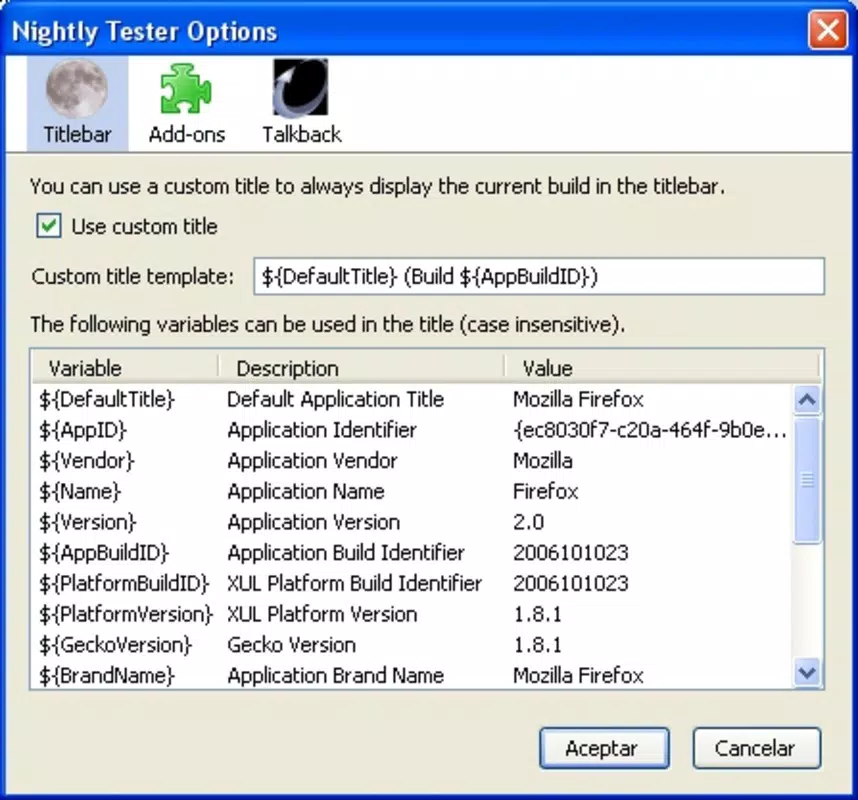
Navigating the extension’s features is straightforward: users open the Extensions Manager, locate Nightly Tester Tools, and access its settings via a dedicated panel. This streamlined flow reduces friction and supports quick task completion. The responsiveness of the interface is consistent with Firefox’s performance standards, providing immediate feedback when actions are performed.
Although the developer did not list formal performance metrics, the extension operates efficiently in typical usage scenarios. It does not significantly impact browser startup time or memory usage, which is critical for users who run multiple extensions simultaneously. Stability is maintained across various Firefox versions, though users are advised to monitor for unexpected behavior after major updates.
Platform Compatibility & Technical Requirements
Nightly Tester Tools is designed exclusively for the Firefox browser. It is compatible with the latest versions of Firefox on both desktop operating systems, including Windows, macOS, and Linux. The extension does not support mobile platforms or alternative browsers.
The developer did not specify minimum OS requirements or file size details. However, based on typical Firefox extension standards, the download size is expected to be under 5 MB. Users should ensure they are running a current version of Firefox to benefit from full functionality.
Pros and Cons
Pros
- Enables continued use of incompatible extensions after Firefox updates.
- Includes a built-in screenshot tool for quick visual documentation.
- Provides incident logs to aid in troubleshooting and bug reporting.
- Simple and intuitive interface that integrates seamlessly into Firefox.
- Long-standing presence in the Firefox ecosystem since 2010.
Cons
- Not available for mobile browsers or non-Firefox platforms.
- Compatibility override may lead to instability in rare cases.
- Does not support automatic extension updates or version checks.
- Developer has not disclosed detailed technical specifications.
- May require manual intervention after major Firefox releases.
FAQ
Is Nightly Tester Tools safe to install?
The extension is hosted on Mozilla’s official Add-ons platform, which enforces security checks. It does not collect user data or modify system settings beyond browser functionality.
Can I use Nightly Tester Tools on Firefox for Android?
No, the extension is currently only available for desktop versions of Firefox and is not compatible with mobile platforms.
Does the extension update automatically?
Yes, if the extension is installed via the Firefox Add-ons site, it will update automatically when a new version is released.
What should I do if an extension stops working after using the override?
If an extension behaves unexpectedly, it is recommended to disable the override temporarily and check for an updated version from the extension developer.
How do I access the screenshot feature?
After installing Nightly Tester Tools, open the Firefox Extensions Manager, locate the extension, and use the built-in screenshot tool from its settings panel.
Final Thoughts
Nightly Tester Tools remains a vital utility for Firefox users who depend on legacy or third-party extensions. Its ability to override compatibility checks, combined with practical tools like screenshot capture and incident logging, makes it indispensable for developers, testers, and advanced users. While it is not a solution for all extension-related issues, it significantly reduces downtime caused by browser updates.
For those who value control over their browsing environment and need consistent access to specific tools, this extension delivers real value. It strikes a balance between functionality and safety, operating within Firefox’s secure extension framework.
Download Nightly Tester Tools now


